
Python Strings for Network Engineers (With Real Examples)
In networking, automation is no longer optional—it’s essential. Whether you’re working
with Cisco, F5, or SD-WAN devices, Python strings play a critical role in parsing configs,
generating commands, and handling logs.
This blog breaks down Python strings using real-world networking examples so you can
directly apply them in your daily work.
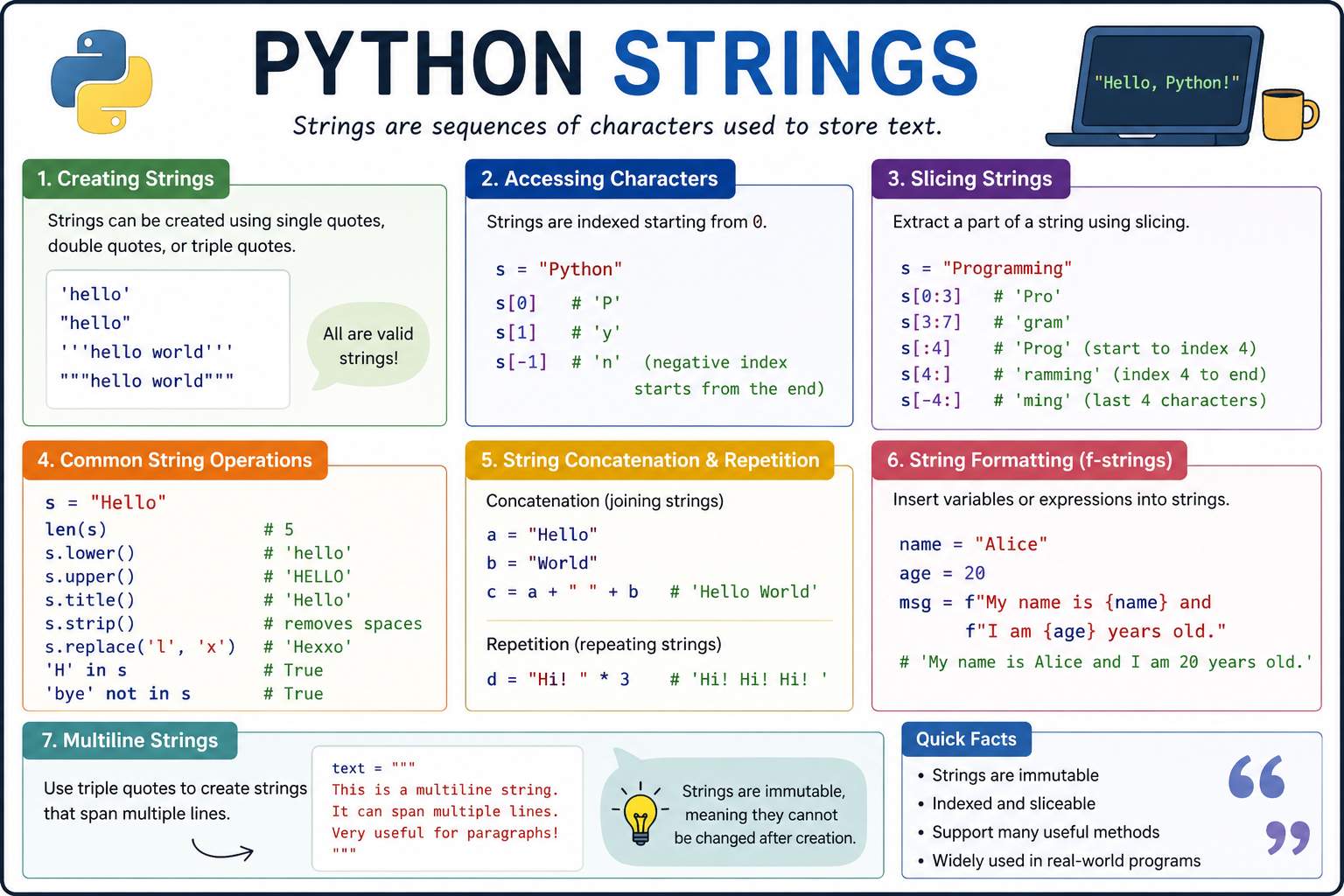
What is a String?
A string in Python is a sequence of characters enclosed in quotes:
device_name = “Router1”
ip_address = ‘192.168.1.1’
In networking, strings are everywhere:
• Device configs
• CLI outputs
• Logs
• API responses
Accessing Characters (Indexing)
hostname = “Core-Router-01”
print(hostname[0]) # C
print(hostname[-1]) # 1
Use case:
Extract specific parts of device names.
String Slicing (Very Important)
ip = “192.168.10.5”
network = ip[:11]
print(network) # 192.168.10
Use case:
Extract subnet or network portion from IPs.
String Length
config_line = “interface GigabitEthernet0/1”
print(len(config_line))
Use case:
Validate config line length or parsing conditions.
Convert Case
cmd = “show ip interface brief”
print(cmd.upper())
print(cmd.lower())
Use case:
Normalize CLI commands before processing.
Remove Spaces (strip)
output = ” up ”
status = output.strip()
print(status) # up
Use case:
Clean CLI outputs from devices.
Replace Values (Config Manipulation)
config = “interface Gig0/1”
new_config = config.replace(“Gig0/1”, “Gig0/2”)
print(new_config)
Use case:
Bulk config changes (interface migration).
Splitting Strings (Most Used in Networking)
route = “192.168.1.0/24”
network, prefix = route.split(“/”)
print(network)
print(prefix)
Use case:
Parse routing table entries.
Joining Strings
commands = [“conf t”, “interface Gi0/1”, “no shutdown”]
final_cmd = “\n”.join(commands)
print(final_cmd)
Use case:
Send multiple commands via SSH (Netmiko/Paramiko).
Check Substring (in operator)
output = “Gig0/1 is up”
if “up” in output:
print(“Interface is UP”)
Use case:
Check interface status from CLI output.
String Formatting (VERY IMPORTANT )
Old Style
ip = “192.168.1.1”
print(“Pinging %s” % ip)
f-Strings (Best Practice)
device = “Router1”
ip = “10.1.1.1”
print(f”Connecting to {device} at {ip}”)
Use case:
Dynamic command generation.
Multi-line Strings (Configs)
config = “””
interface Gig0/1
ip address 192.168.1.1 255.255.255.0
no shutdown
“””
print(config)
Use case:
Push full configuration blocks.

Find Data in Strings
log = “Error: Interface Gig0/2 down”
if log.startswith(“Error”):
print(“Alert detected”)
Use case:
Log monitoring & alerting.
Extract Interface Name from Output
line = “GigabitEthernet0/1 is up”
interface = line.split()[0]
print(interface)
#This splits the string based on spaces.
Use case:
Parse show interface output.
Parsing VLAN Info
vlan_info = “VLAN10, VLAN20, VLAN30”
vlans = vlan_info.split(“, “)
print(vlans)
Use case:
Automation for VLAN provisioning.
Building CLI Commands Dynamically
interface = “Gig0/1”
ip = “192.168.10.1”
mask = “255.255.255.0”
cmd = f”interface {interface}\nip address {ip} {mask}\nno shutdown”
print(cmd)
Use case:
Push configs to routers/switches.
Working with Logs
log = “2026-04-25 ERROR Router1 Interface Down”
if “ERROR” in log:
print(“Critical issue found”)
Use case:
Network monitoring automation.
Remove Special Characters
interface = “Gig0/1\n”
#with a hidden line break at the end
clean_interface = interface.strip()
print(clean_interface)
Counting Occurrences
config = “interface Gi0/1\ninterface Gi0/2\ninterface Gi0/3”
count = config.count(“interface”)
print(count)
Use case:
Count number of interfaces in config.
Real-World Mini Project (Must Try)
Parse “show ip interface brief”
output = “””
Gig0/1 192.168.1.1 up
Gig0/2 192.168.2.1 down
Gig0/3 192.168.3.1 up
“””
lines = output.strip().split(“\n”)
for line in lines:
interface, ip, status = line.split()
if status == “up”:
print(f”{interface} is ACTIVE with IP {ip}”)
Key Takeaways for Network Engineers
• Strings are the core of automation
• Most tasks involve:
o Parsing CLI output
o Generating configs
o Validating data
• Mastering string operations = faster troubleshooting + automation